.svg)
Build, share, and track your budget without the spreadsheet chase.
Bring your entire business into one tool, so budget owners can provide their inputs without finance chasing them. Track budget vs. actuals as the numbers come in, so everyone can see where they stand.
.png)

















Budgeting is a collaborative exercise, but
your current tools weren’t built for it
Collaborate, track, and re-forecast in Drivetrain
Work with your budget owners
in one place.
Each department head provides their input via their own budget template. Approval workflows ensure you review all requests before they hit the plan.
Role-based access means each budget owner only sees what's meant for them. And in-product comments keep all the back-and-forth in one place.
.png)
Get through budget season
without the grind.
As teams submit their inputs, everything rolls up into one consolidated budget. Version control keeps every iteration, so you can compare or roll back without hunting for "budget_v7_final_final".
Build top-down or bottom-up budgets. Model at any level of detail: by department, cost center, region, vendor, or customer.
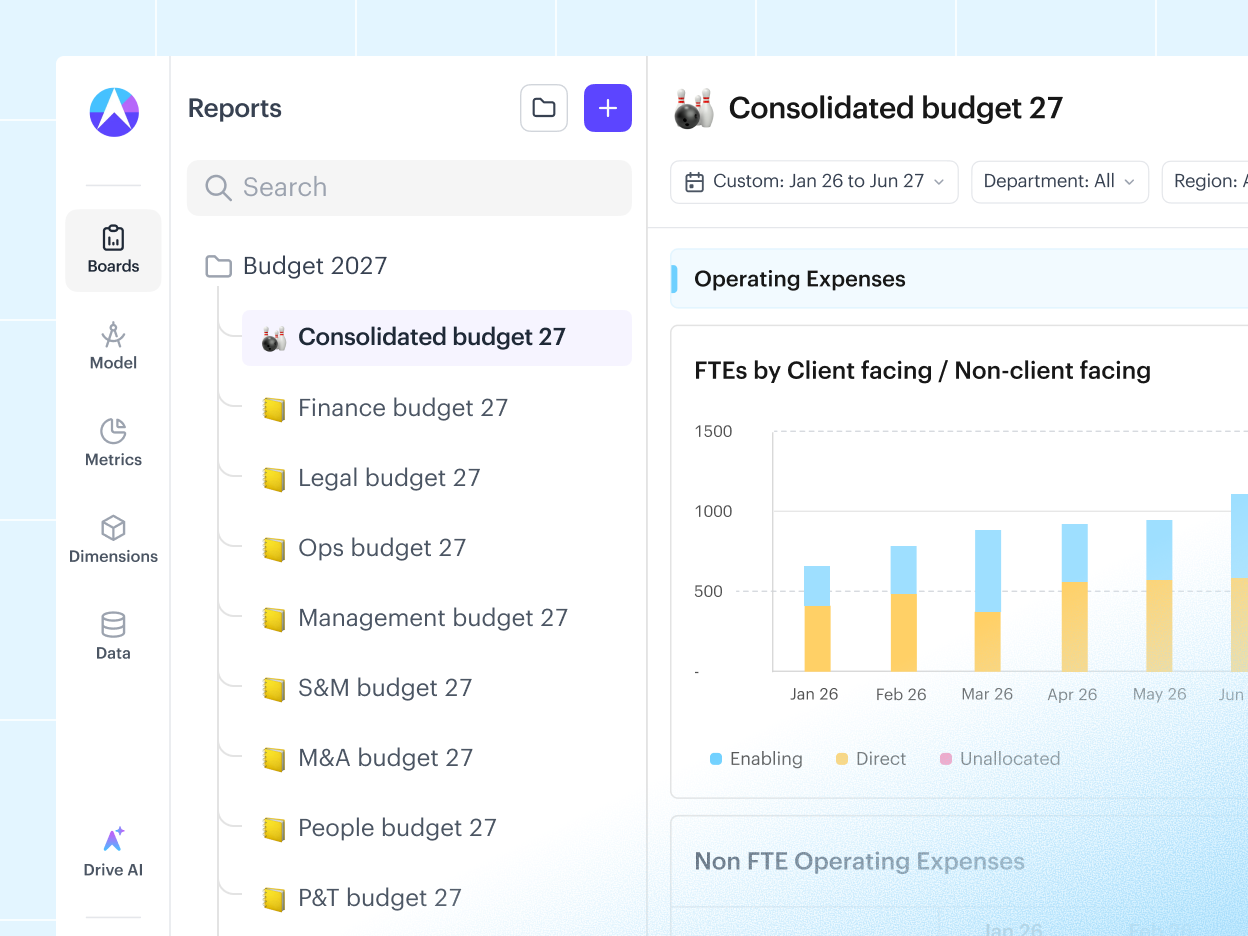
Track budget vs. actuals
in real time.
Lock the board-approved budget, then let actuals flow in from your ERP, CRM, and other sources, so BvA updates on its own instead of being rebuilt each month.
AI writes the variance commentary, explaining what moved and why. And every budget owner can see how their own numbers are tracking without waiting on finance.
.png)
Re-forecast and run what-ifs
in minutes.
Re-forecast against the locked budget in minutes. Describe the change in plain English, and AI updates the model for you.
Finance and budget owners can run scenarios on their own. Just ask "what if we add $20M to marketing," and see the impact on cash and P&L right away.
.webp)
.png)

“I wanted a tool that serves my forecasting & reporting needs, but also something that would allow for cross-functional collaboration. Drivetrain's reports are perfect for this, with features like tagging people in comments, user-level restrictions, customizable graphs.”
.png)
.png)
“The collaboration features make it way easier to work with our sales and ops teams on planning. Everyone can see the same numbers in real time, which has eliminated so many version control headaches.”
.png)
.png)
“Drivetrain has helped us move away from Excel for reporting and budgeting. We've been able to generate a lot of useful insights for different teams, and automate much of our reporting process, which has made things more consistent and easier to manage.”
.png)
.png)
“Drivetrain is an excellent platform, from onboarding to implementation for daily work. It really improved our FP&A process, and we are now able to close the month and budget faster, without using spreadsheets.”
See how budgeting works on Drivetrain
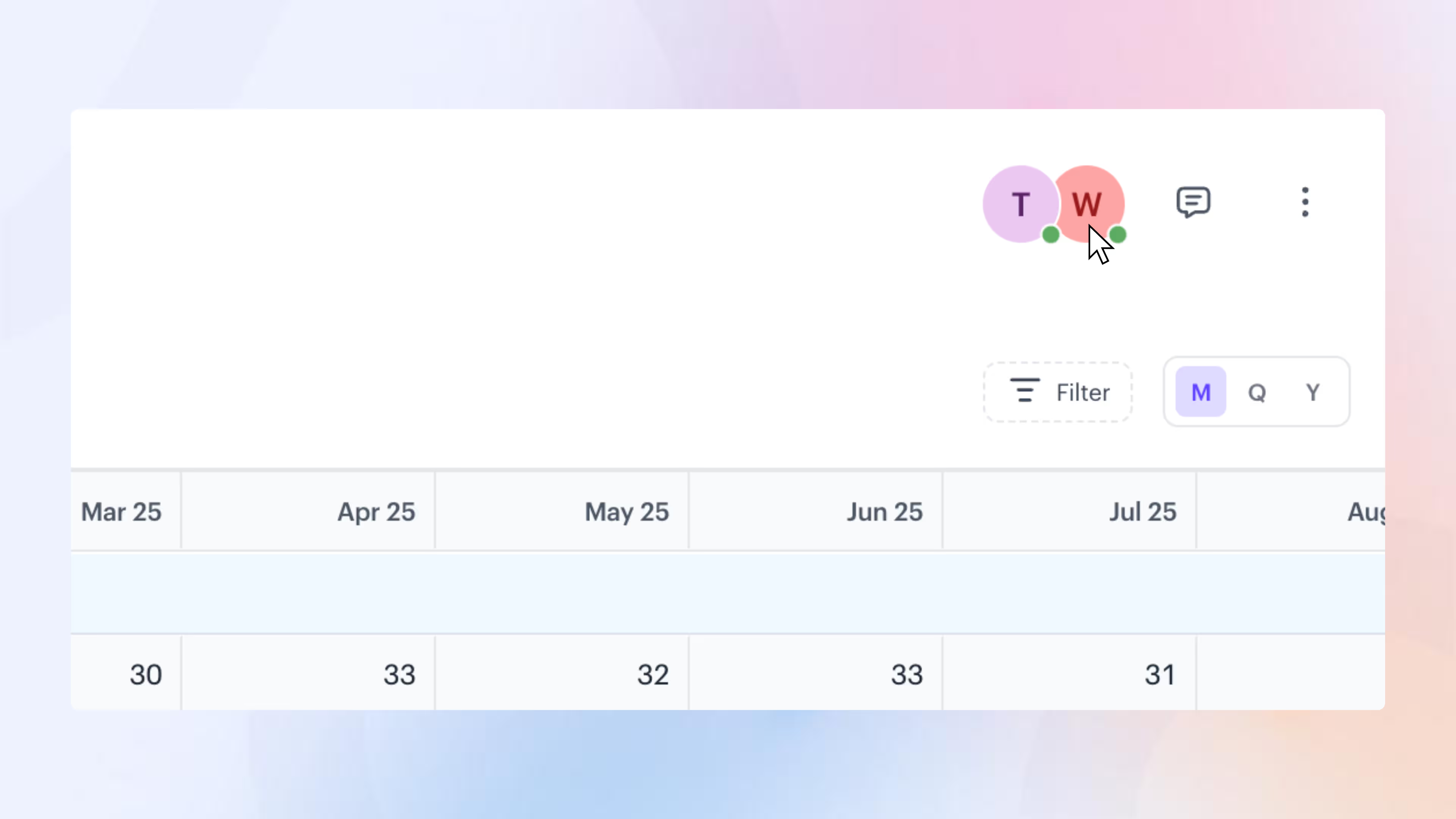
Collaborative planning: Edit models as a team
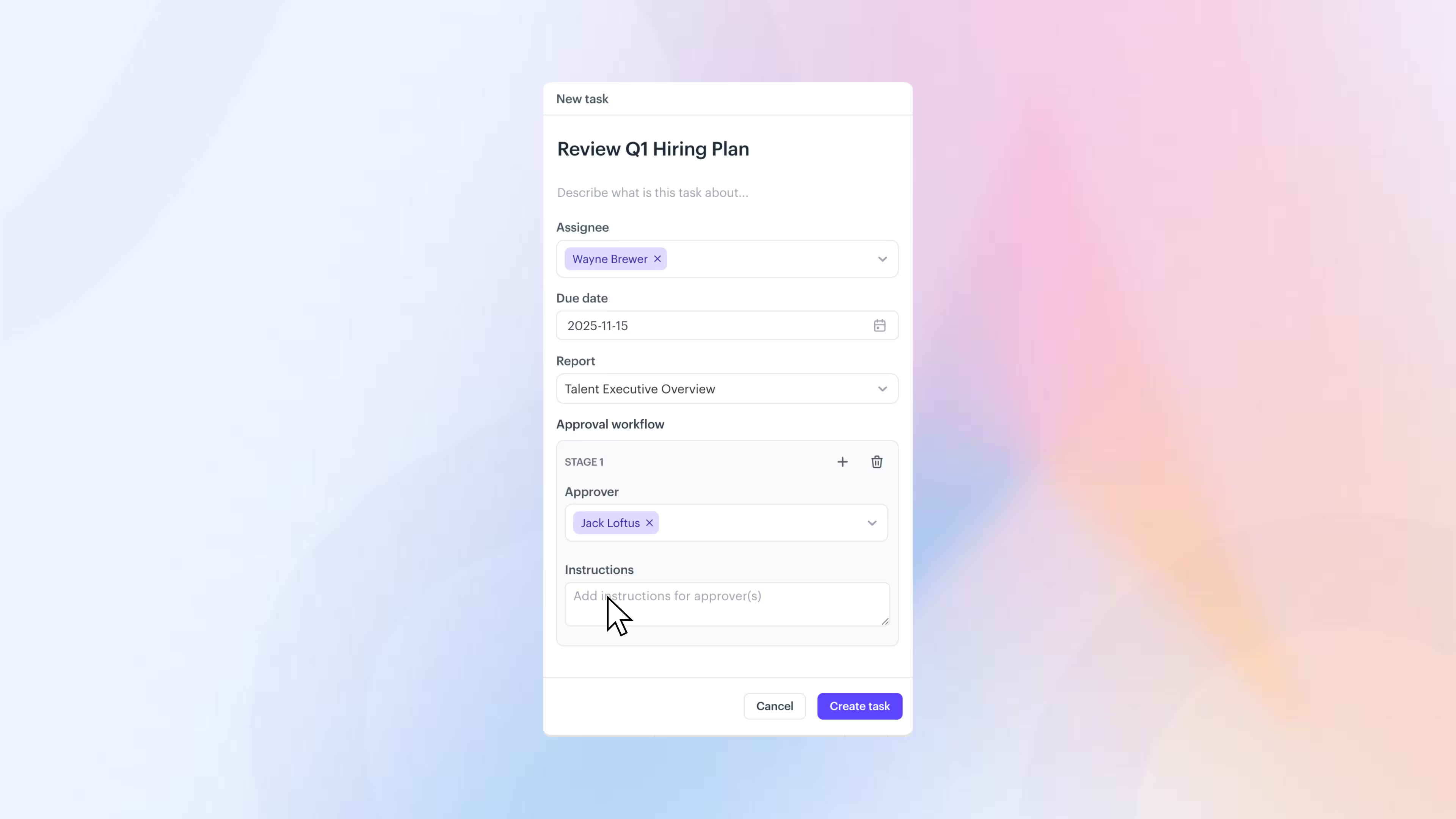
Budget templates: Simplify budget collaboration
.avif)
Budget vs Actuals: Spot variances with real-time comparisons
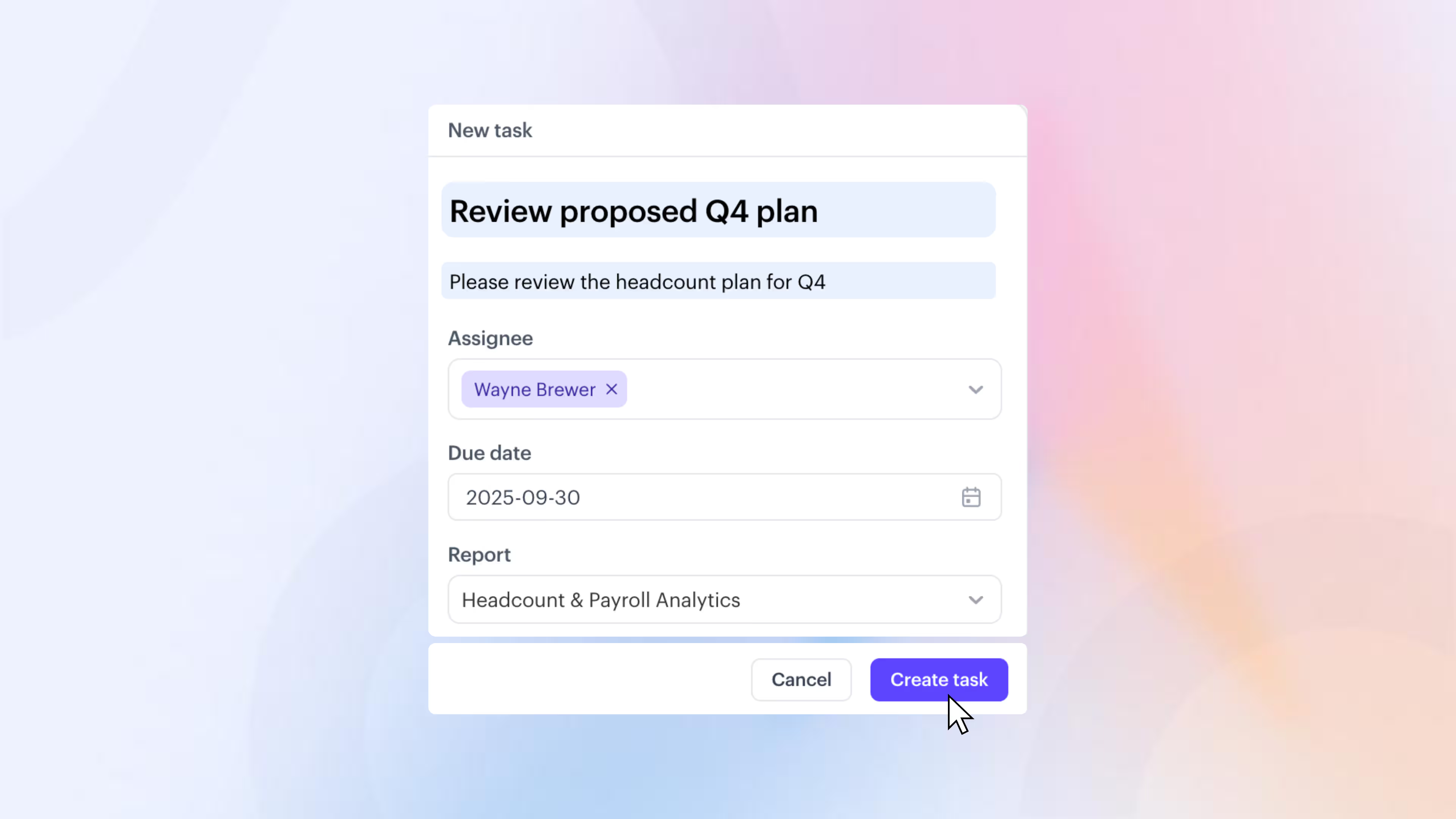
Task management: Turn plans into actions with built-in workflows
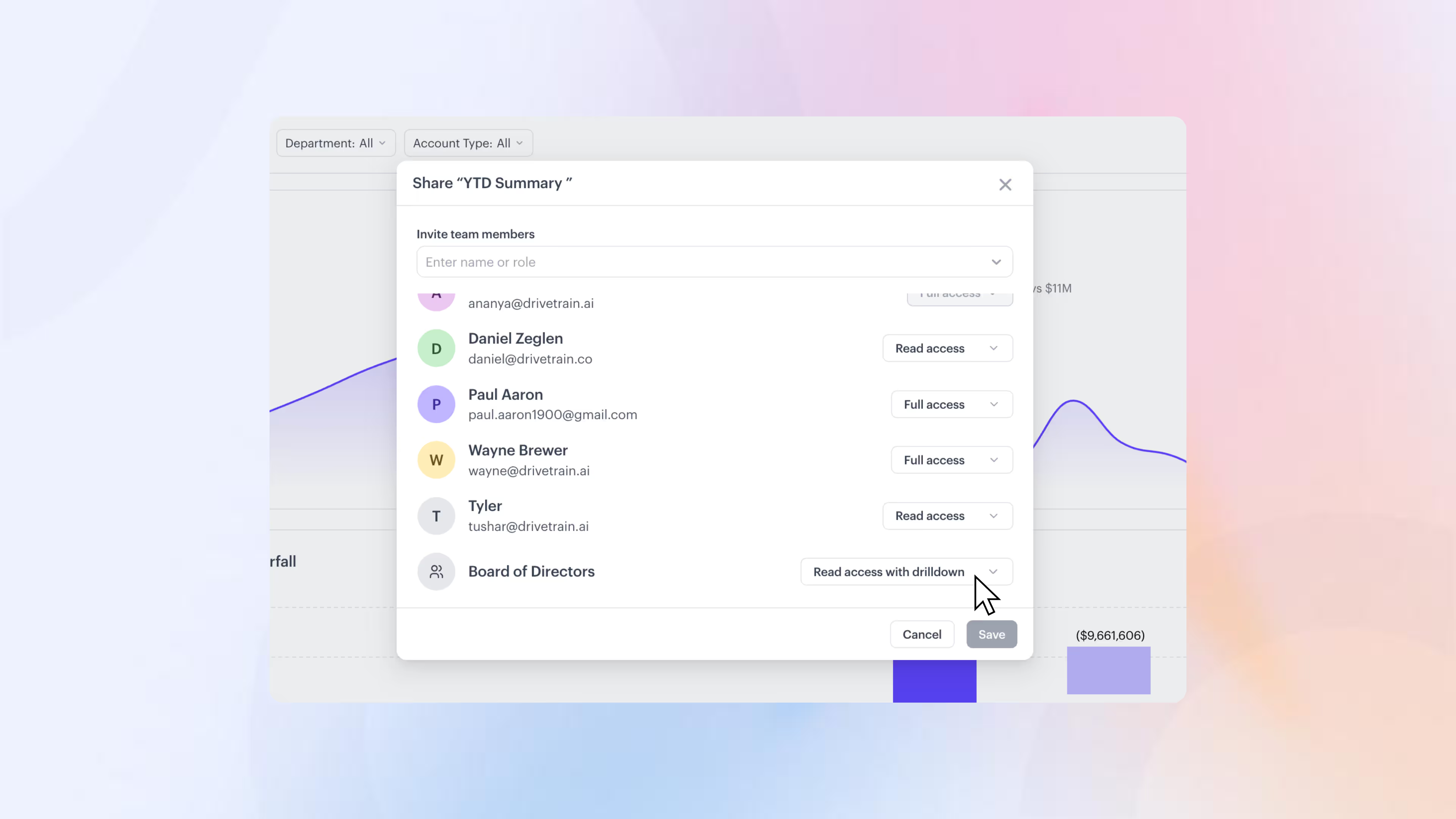
Sharing reports: Share insights your way
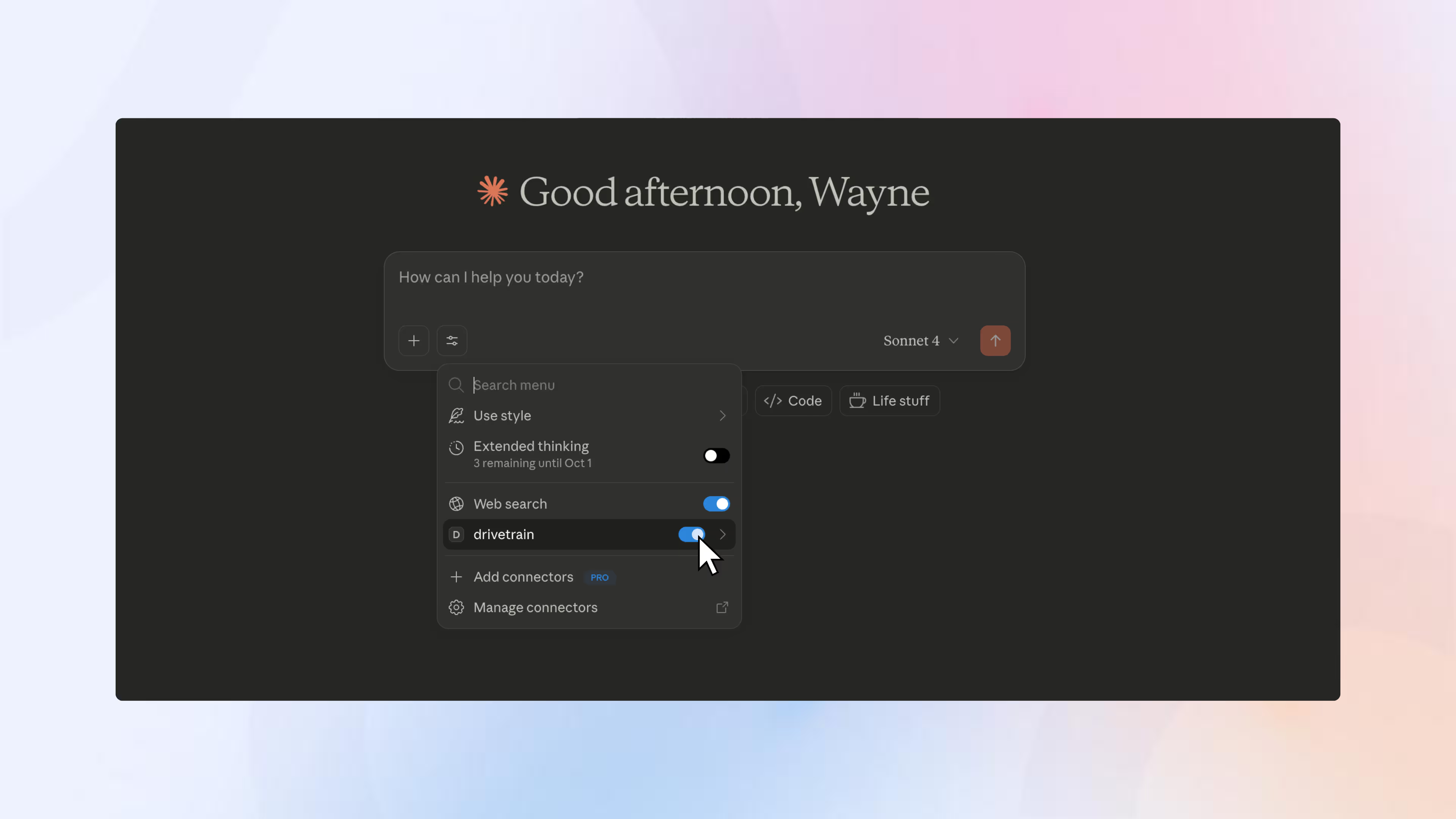
MCP server: Turn AI into a finance co-pilot
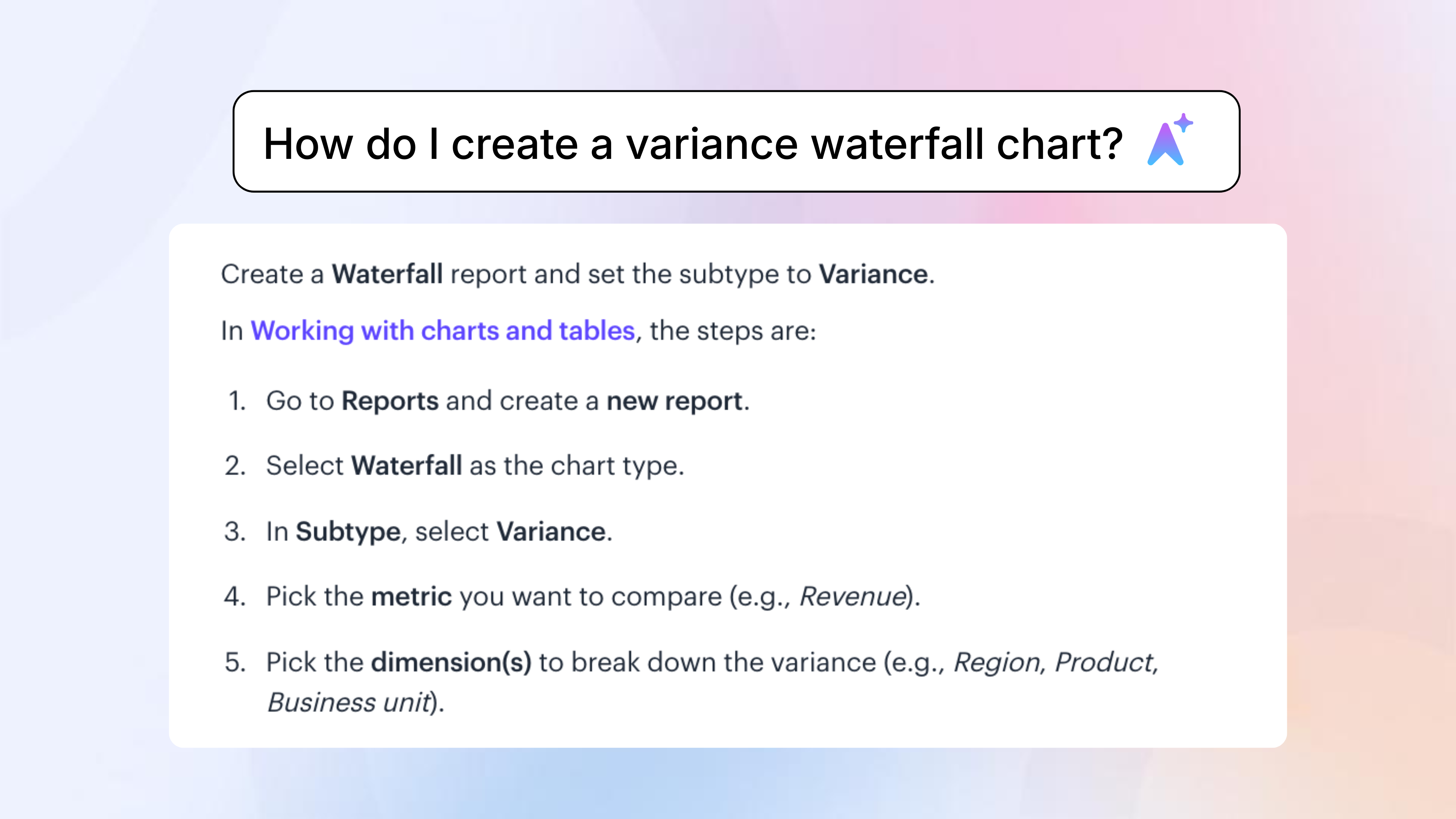
Help Agent: On-demand product guidance, right inside Drivetrain
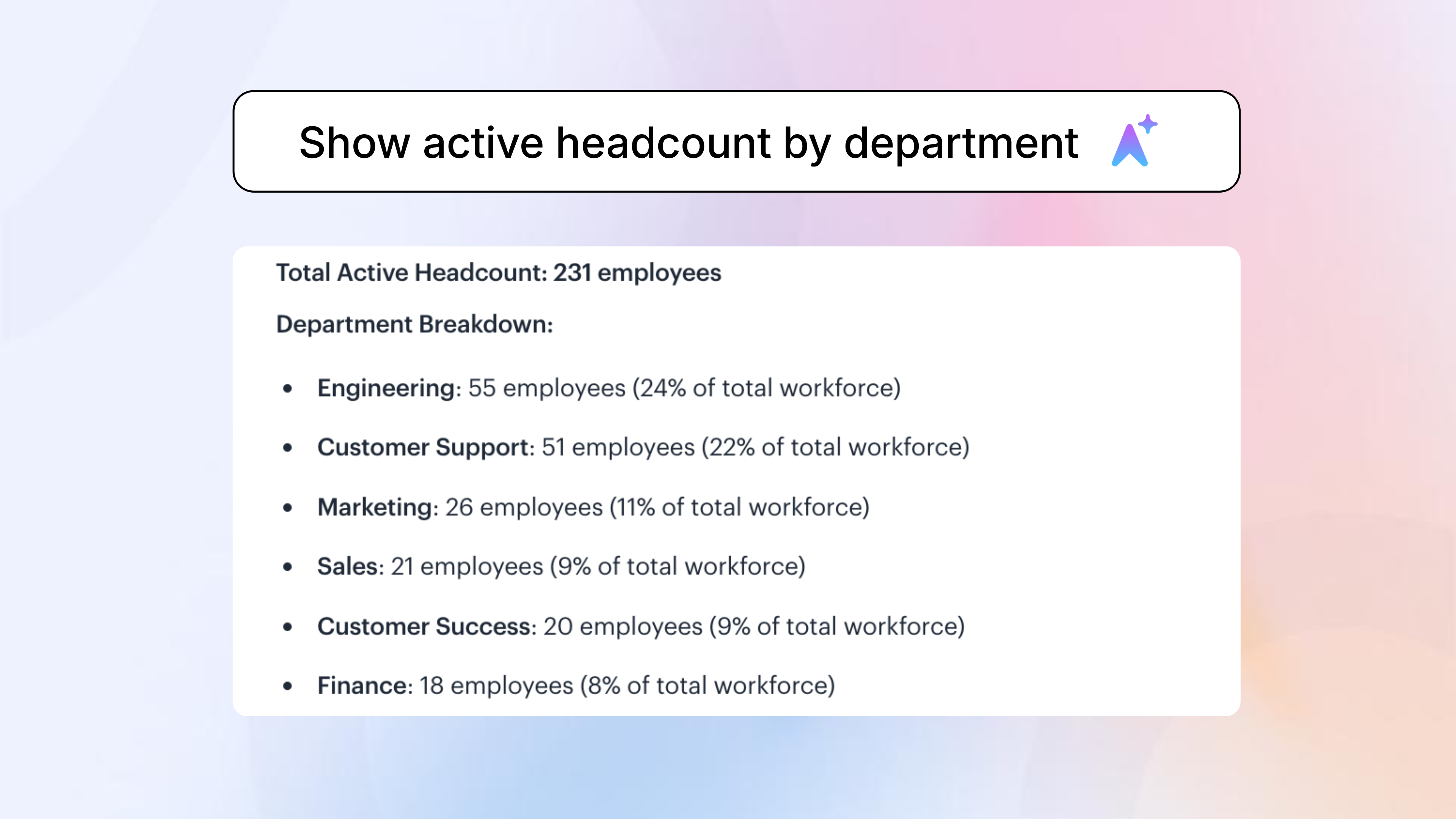
Insights Agent: Ad-hoc FP&A answers, grounded in your data
Modern finance teams use Drivetrain to do more
.png)
.png)
.png)
Can I let each budget owner see and edit only their own budget, without exposing salaries or letting them touch the core model?
With role-based access controls, each budget owner can see and edit only data for their department or cost center. Salaries and other sensitive rows stay hidden with data masking. They can submit their numbers through budget templates and approval workflows, so you get the inputs you need without giving them access to the underlying model.
Can we budget the way we actually do it — by department, vendor, region, customer, or event — not just a high-level rollup?
Budget by any dimension, at whatever level you actually plan. It all rolls up into a consolidated budget automatically.
How can I review and approve what budget owners submit before it lands in the plan?
Create a budget template and assign it to each owner as a task, like "Update new hire requests for H2." They fill in their inputs, and those inputs are added to the plan only after you review and approve them. See how it works here.
Can we do budget vs actuals at the vendor and department level, and is the variance automated?
Run BvA at any level, including vendor, department, or any other dimension. Actuals flow in from your ERP, CRM, HRIS and other sources, so variance is calculated automatically. Use AI to write the commentary identifying exactly what moved and why.
Once the budget is board-approved and locked, how do I make a mid-year change without breaking it?
Lock the board-approved budget as your baseline. If changes are needed mid-year, re-forecast and save it as a new version or scenario, so the original stays untouched. You can then compare the two side by side to see exactly what changed.
Can we budget in local currencies and consolidate in USD, without rebuilding FX columns every year?
Budget for each entity in its local currency and set USD as your reporting currency. Pull FX rates from a currency exchange provider or use your own custom rates, and Drivetrain's native consolidation module translates local currencies into USD automatically, so you're not rebuilding FX columns every year.
Still chasing budget owners
over email?
Less back-and-forth, real-time budget vs actuals,
and every owner in one place.


.svg)