
Use CasesHeadcount Planning
Plan, forecast, and reconcile headcount without the monthly grind.
Drivetrain pulls live data from your HRIS, payroll, and ATS and automates reconciliation. Forecast each employee's salary, benefits, and taxes, so you can trust the biggest cost on your P&L.
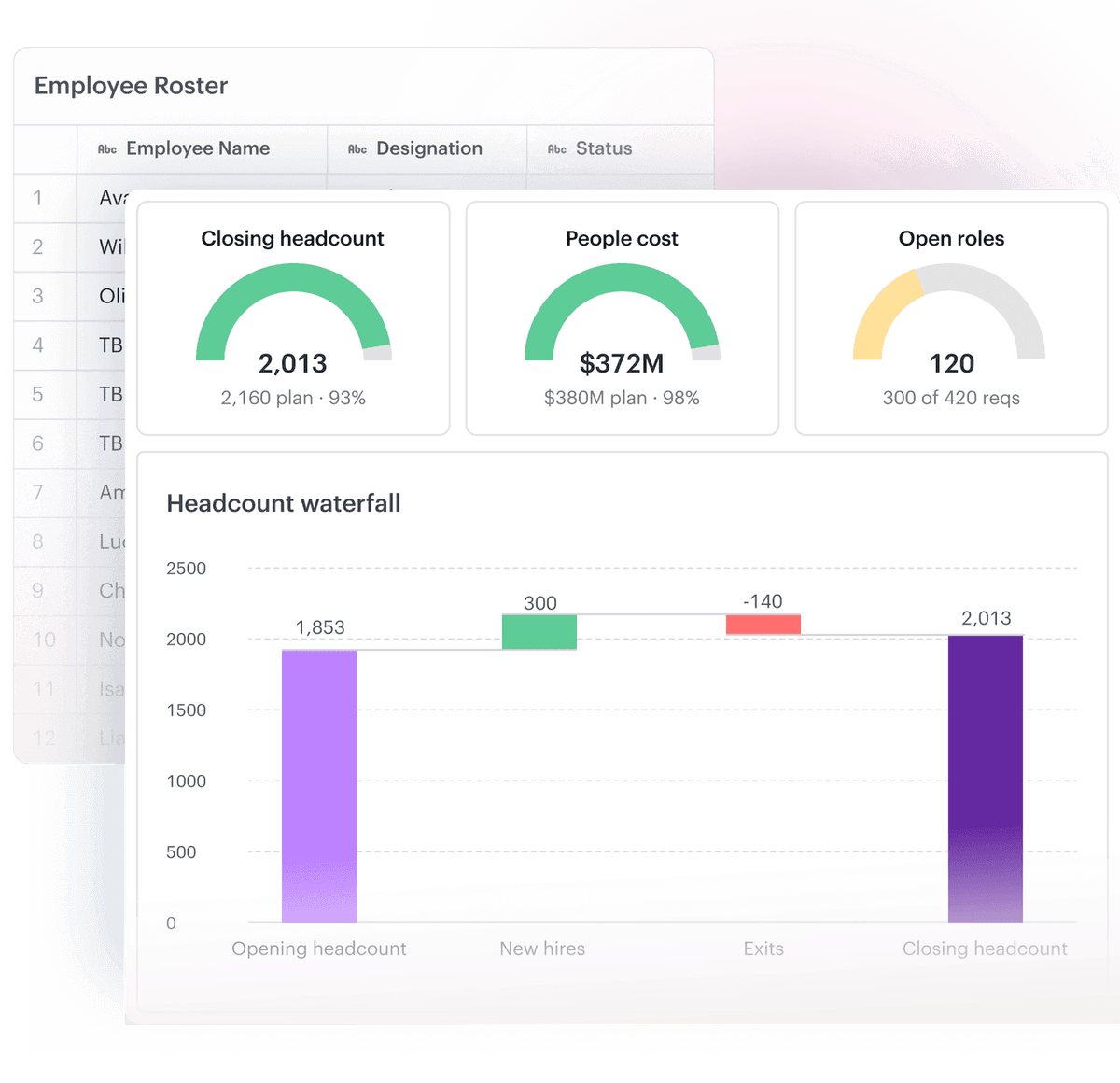















Headcount is your biggest cost,
and the hardest to forecast
- Every hire, exit, backfill, and internal movement needs to be reconciled to the plan manually.
- Each person's cost depends on varied compensation components, tax jurisdictions & currencies.
- Finance must coordinate with every budget owner, collect their inputs & approve each request.
- And every "what if we add 10 hires" means rebuilding the model from scratch in a spreadsheet.
A single place to plan headcount, with all your budget owners
[ 01 ]
Automate headcount
reconciliation with AI.
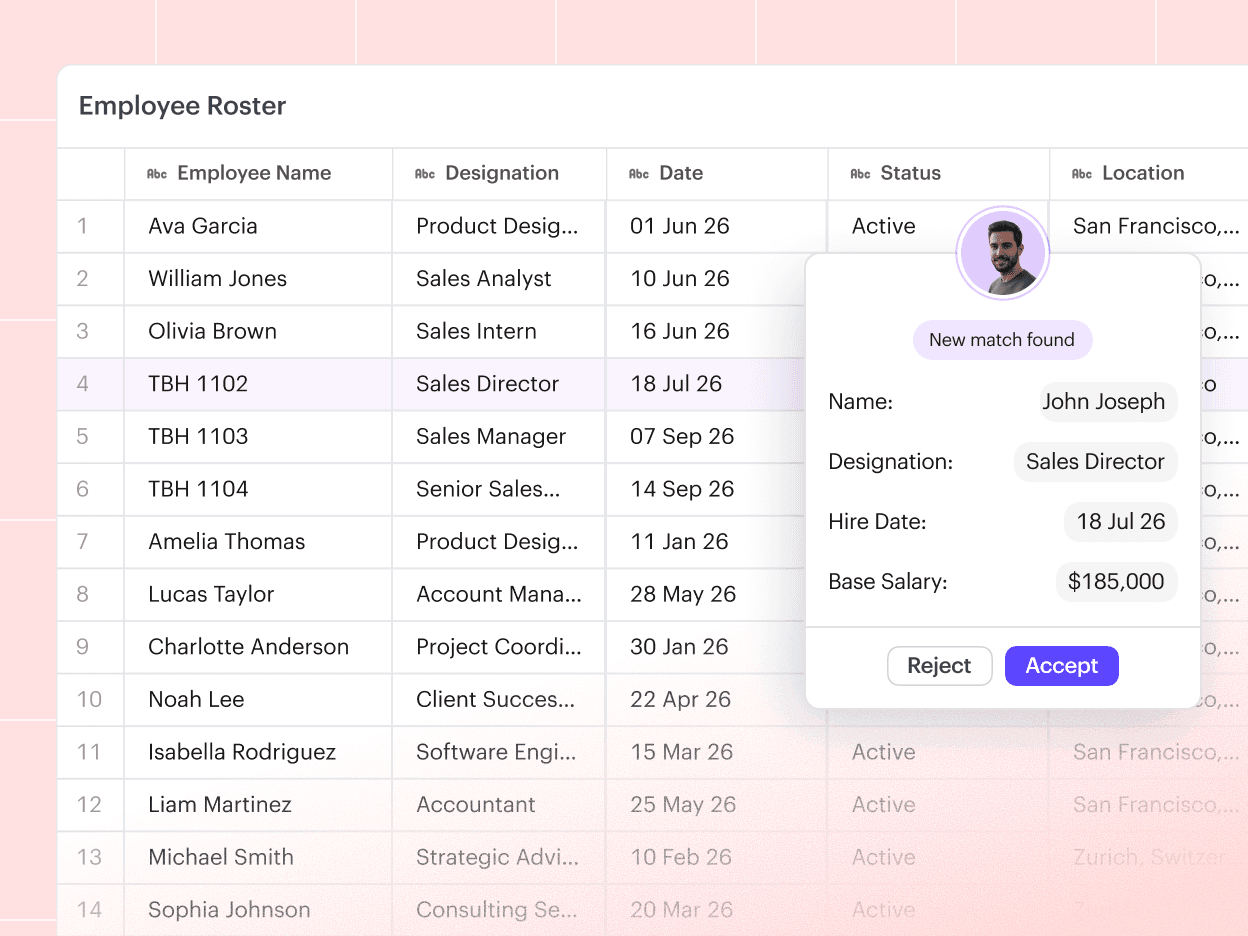
Reconcile new hires, exits, salary changes, and other movements, with AI-recommended matches. Automatically create new backfills when an employee leaves.
Maintain a detailed employee roster in Drivetrain and bring in real-time data from your HRIS, payroll, and ATS.
[ 02 ]
Forecast the full cost
of every employee.
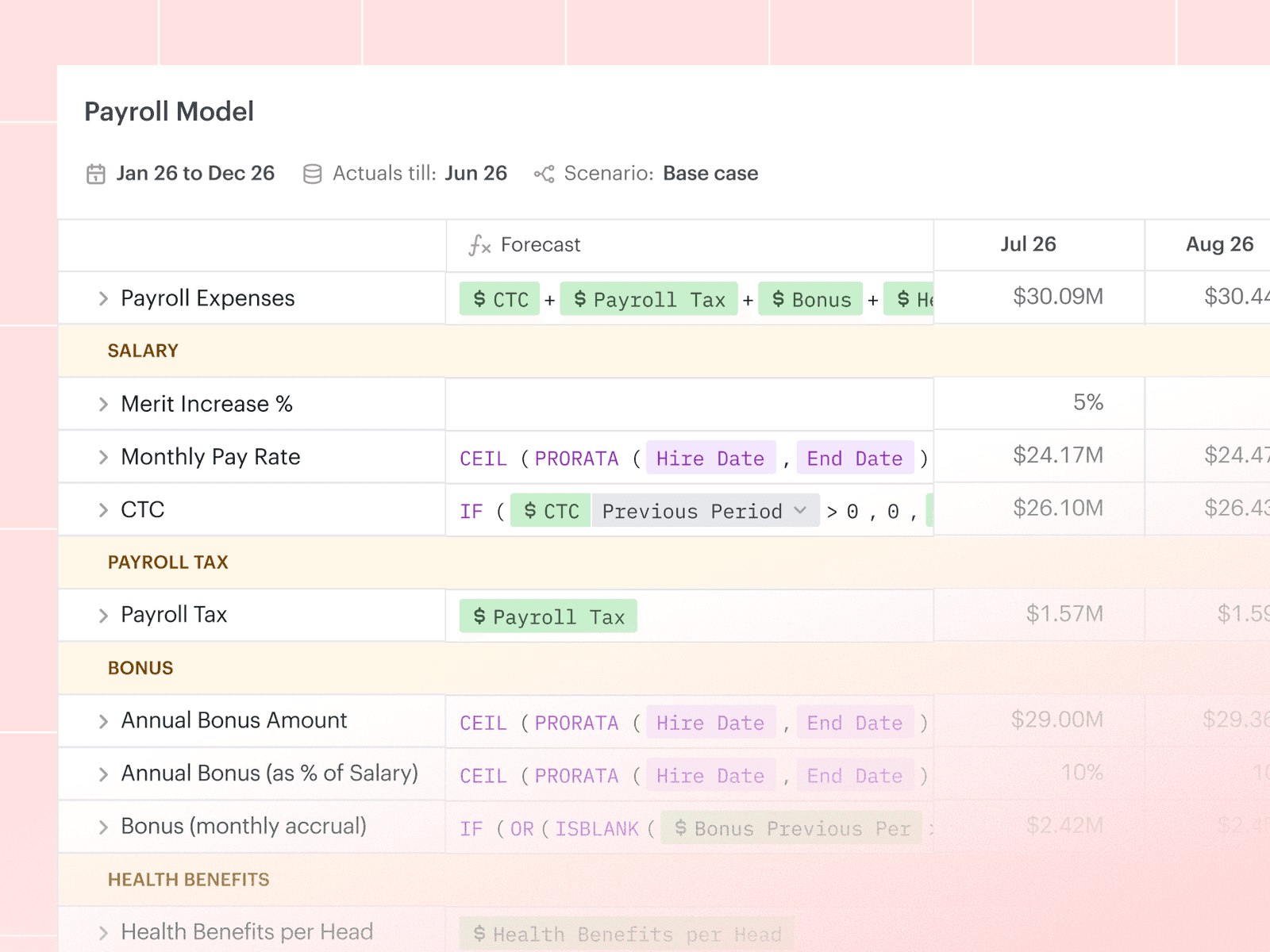
Forecast salary, merit, promotions, benefits, and taxes for every employee, with AI to help build and update the model, so changes take minutes, not days.
For global teams, model payroll taxes and benefits by jurisdiction, and set your own FX rates by currency.
[ 03 ]
Collect and approve hiring
requests in one place.
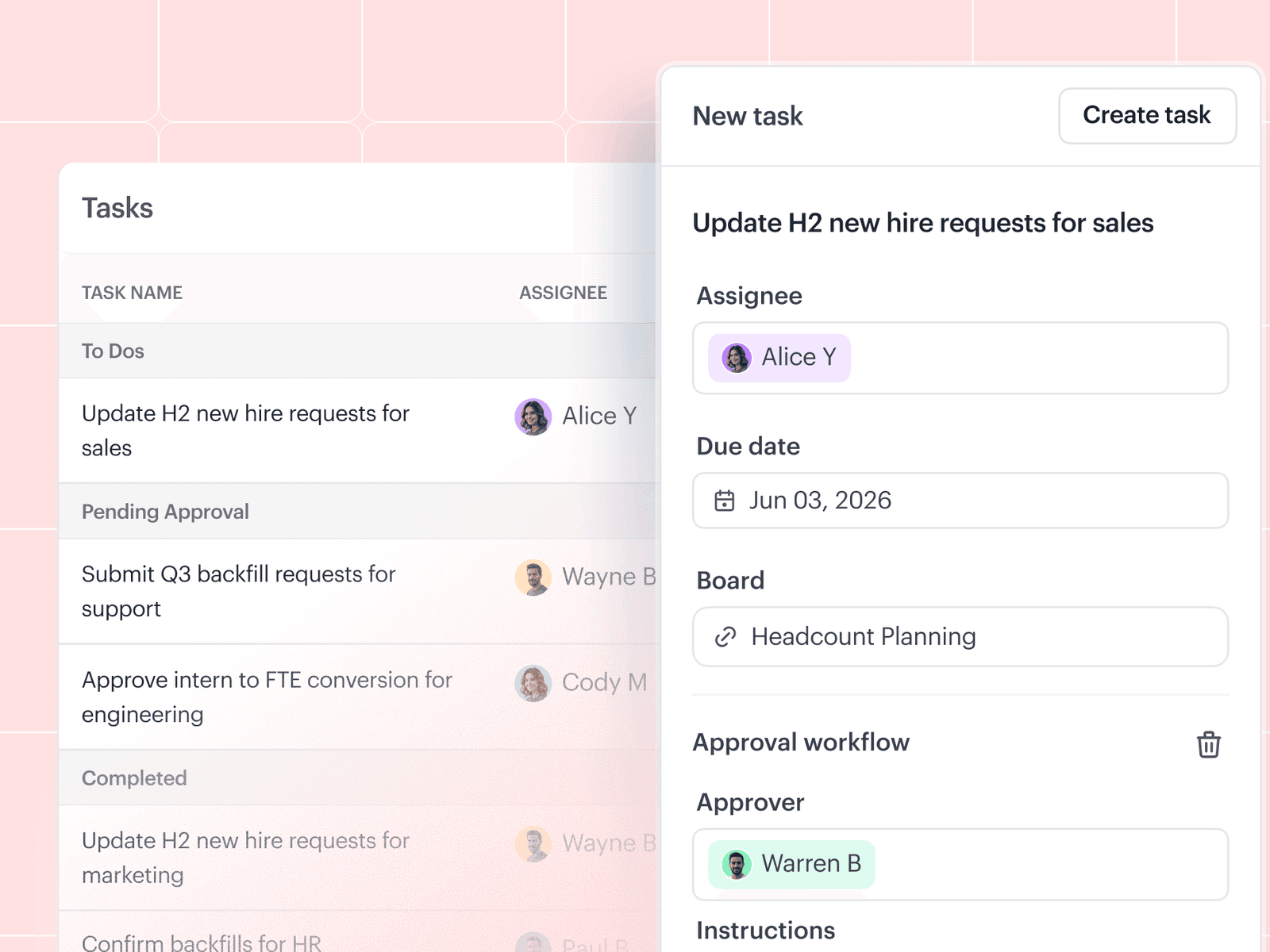
Budget owners submit their new-hire requests right in Drivetrain through built-in workflows, instead of finance chasing them over email.
Each has an access-controlled view of their own headcount and cost. They own their inputs, and finance approves every request before it hits the plan.
[ 04 ]
Run any hiring scenario
in minutes.
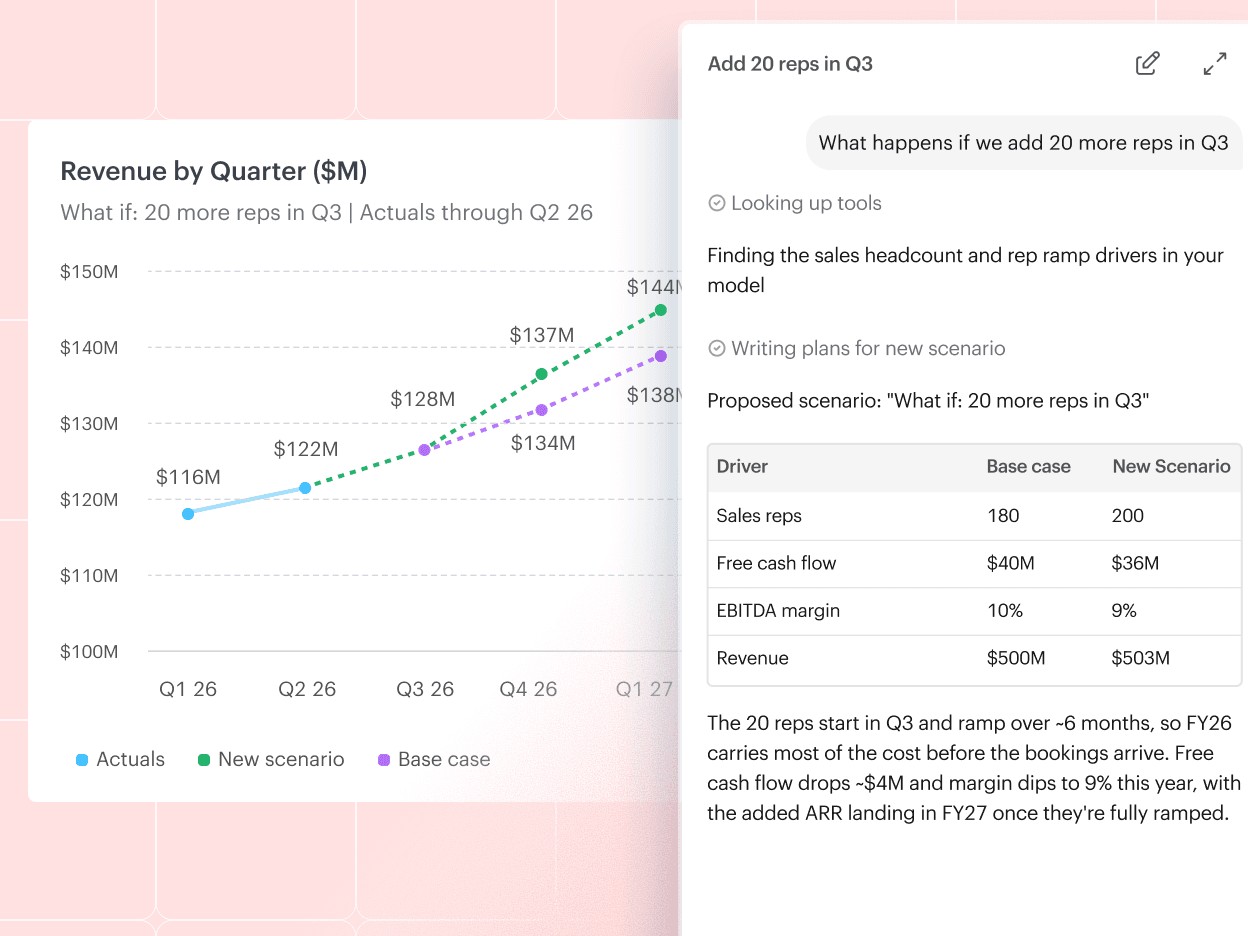
Build a scenario from a simple prompt, like "what happens if we add 20 more reps in Q3?", and watch it flow straight through to your P&L and cash flow.
Or set a target, like "How should we stagger our AE hires to meet our revenue goals without front-loading cost?", and let AI find the best path to it.


“I appreciate the ability to quickly run what-if scenarios across headcount, cash flow, and revenue planning. The AI features (e.g., natural language analysis, model generation, and "plain English" data transformations) are a significant productivity boost.”
 Filipe VizentimFinance Manager


See how headcount planning works on Drivetrain
Modern finance teams use Drivetrain to do more
Can I combine requisition data from my ATS with employee roster data from HRIS?
Can I combine data from multiple HRIS to create a consolidated roster?
How does a to-be-hired match the actual person when they start?
Can backfills be automated?
We have FTEs, and we have contractors. Am I able to set up independent modules for each?
Can budget owners see how their headcount and expenses are pacing against plan?
Still planning headcount in spreadsheets?
Fewer manual updates, a forecast you can trust, and what-ifs in minutes.