

A four-step framework for CFOs to control AI token costs.

Read Now

Last Updated: 20 Sept 2026

Drivetrain vs. Abacum
Which is the better platform?

Finance teams pick Drivetrain over Abacum for Excel-like formulas, a working model on day one, autonomous agents that run round the clock, and enterprise-grade controls.

Spinnaker SupportPropellerparcelLabTruHearingAlliumMatillionLexipolBlackthorn
G24.8/5

Drivetrain leads Abacum
in every G2 category

Features
Drivetrain
Abacum
Return on investment
7 months
12 months
FP&A
8.9
8.6
Budgeting and Forecasting
8.7
8.6
Financial Analysis
9.0
8.9
Data Visualization
9.8
8.6
Business Intelligence
9.8
9.0
  • Return on investment

    Drivetrain7 months
    Abacum12 months
  • FP&A

    Drivetrain
    8.9
    Abacum
    8.6
  • Budgeting and Forecasting

    Drivetrain
    8.7
    Abacum
    8.6
  • Financial Analysis

    Drivetrain
    9.0
    Abacum
    8.9
  • Data Visualization

    Drivetrain
    9.8
    Abacum
    8.6
  • Business Intelligence

    Drivetrain
    9.8
    Abacum
    9.0
Source: G2 ReviewsCompare on G2

Four reasons why finance teams choose Drivetrain over Abacum

[ 01 ]

Excel-based vs. SQL-based proprietary language

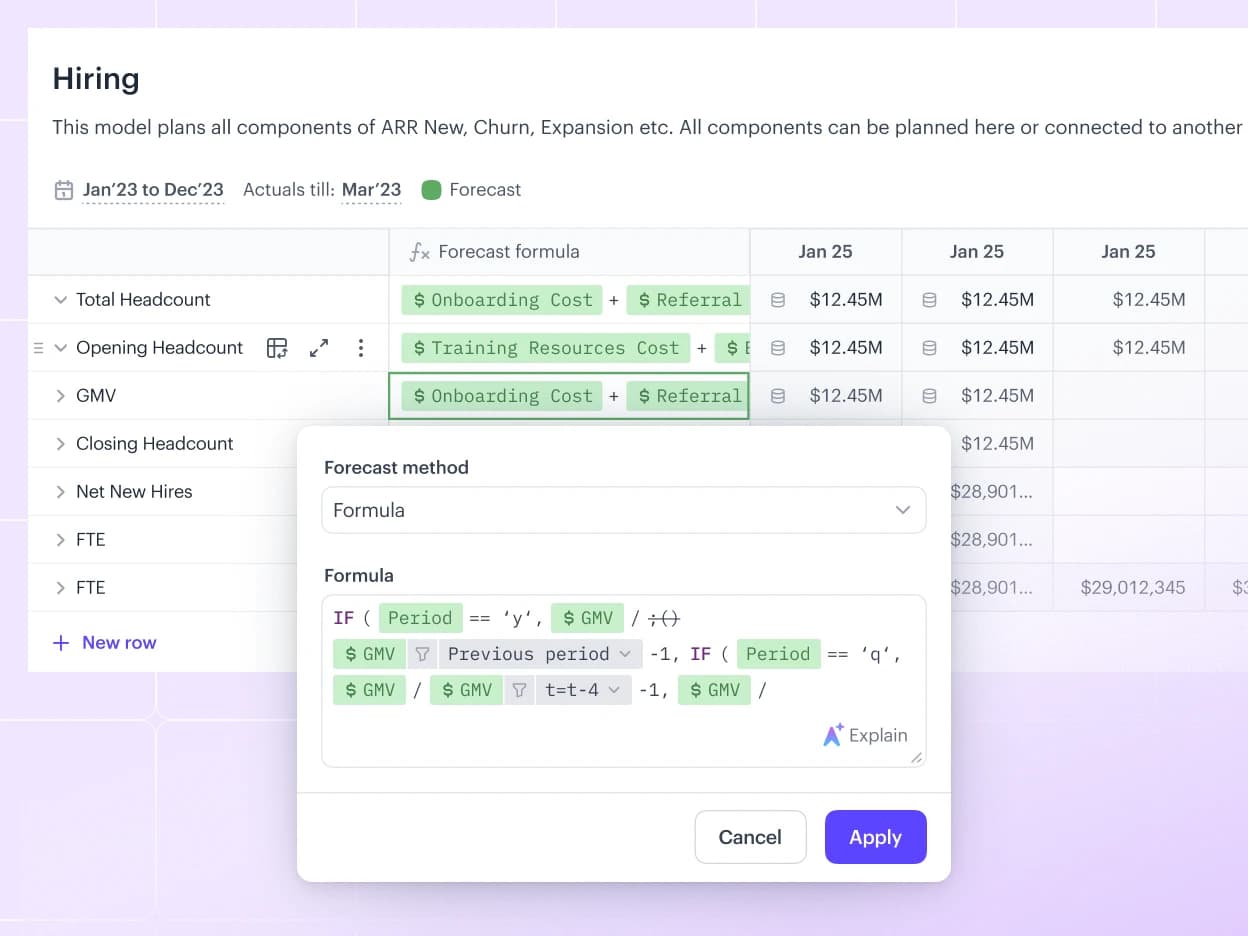
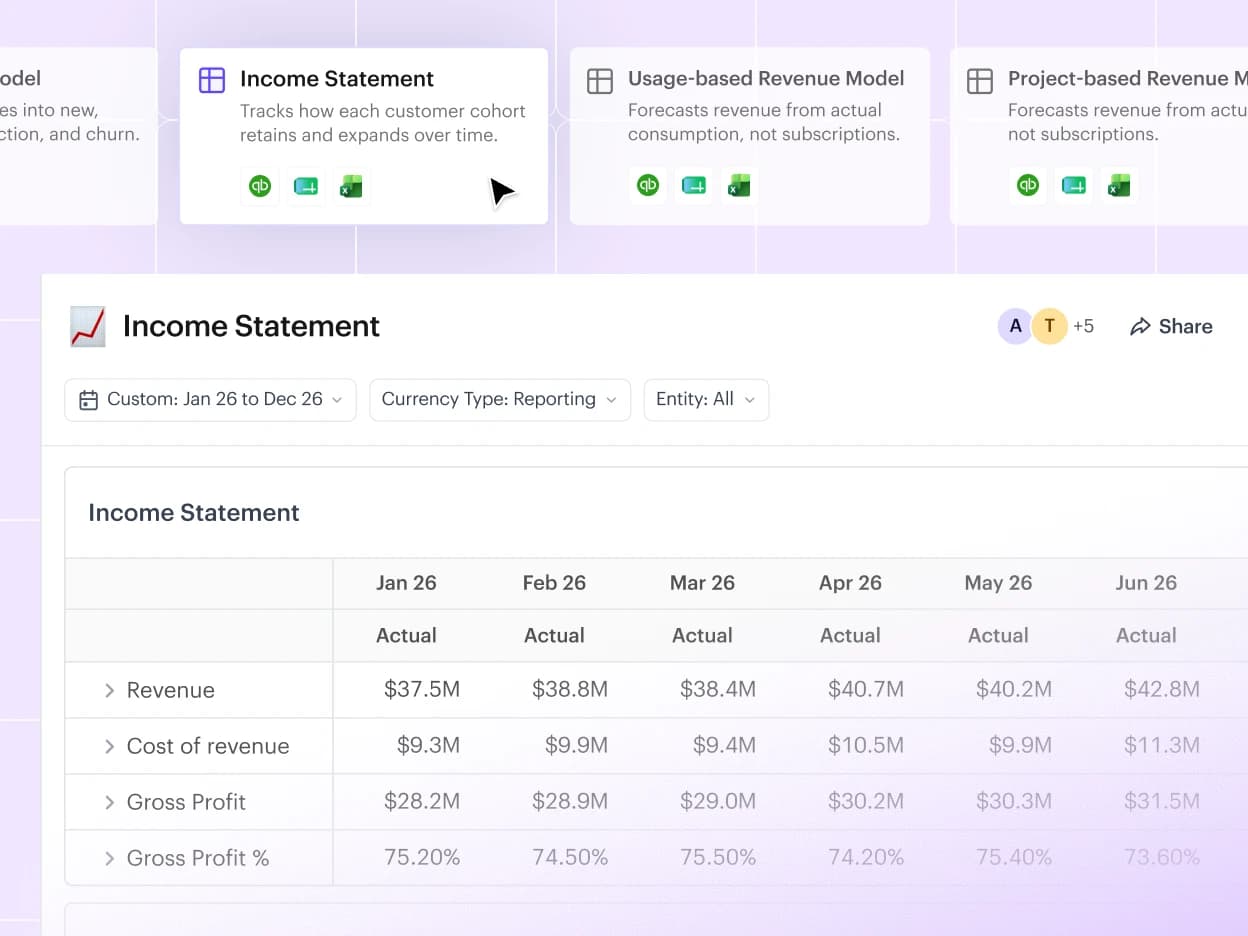
Drivetrain runs on Excel-like logic, pivot tables, and plain English formulas. Models use the functions your team already uses every day. Abacum’s modeling runs on its own SQL-based syntax, so before anyone can start using it, they need to learn a new language first.
[ 02 ]

Pre-built models vs. a blank canvas

Connect your tech stack, and Drivetrain’s AI builds your starting models on industry best practices: an interconnected three-statement model, payroll and headcount, vendor costs, and others. Tweak them to fit your business rather than building from scratch.

[ 03 ]

AI that’s useful vs. one that just answers questions

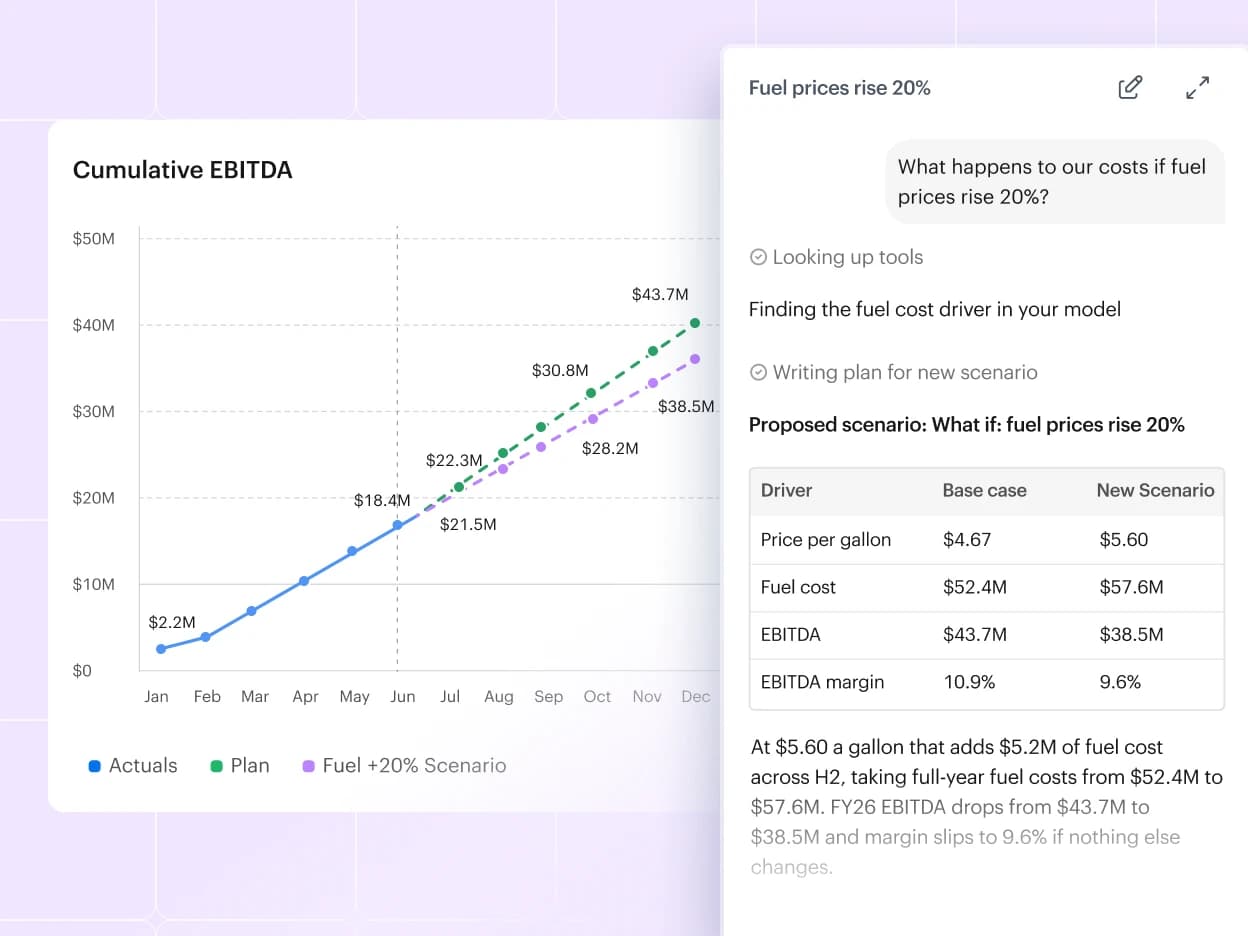
In Drivetrain, AI runs across data, modeling, and reporting: plain-language formulas, BvA deep research, Slack assistant, and autonomous agents your team builds that work round the clock for you. In Abacum, the AI cannot reach raw data. It can answer questions limited to the data in a particular space.

[ 04 ]

Enterprise controls built in vs. limited controls

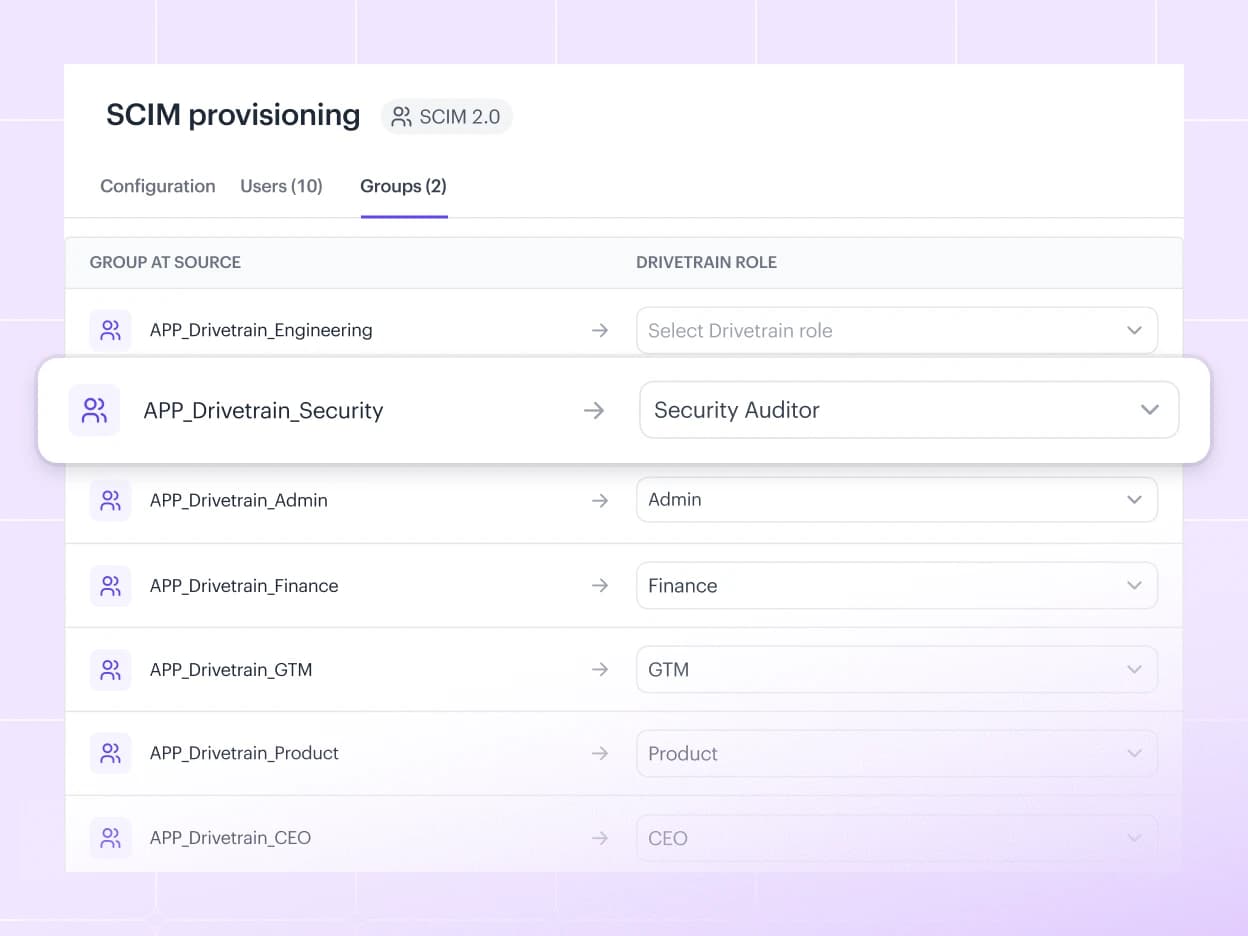
Drivetrain provisions users through SCIM, holds SOC 1 and SOC 2 Type II for your auditors’ testing, and lets you control access to data down to the dimensional level. Abacum provides access controls at the report level, so your team rebuilds the same report for each stakeholder.

Drivetrain vs. Abacum
In-depth comparison

Multi-dimensional modeling

Drivetrain:

Supported

Abacum:

Supported

Collaborative planning and task management

Drivetrain:

Assign & track tasks

In-product commenting, shared reports

Abacum:

Assign & track tasks

In-product commenting, shared reports

Number of integrations

Drivetrain:

800+ native API based integrations

Abacum:

700+ native API based integrations

Formula writing syntax

Drivetrain:

Excel-Based

The formulas your team already writes.

Abacum:

SQL-based and proprietary

New syntax for every modeler to learn.

Multi-entity consolidation

Drivetrain:

Built-in consolidation

Plan in local currency, view a consolidated reporting currency. No custom FX models needed.

Abacum:

Manual model construction

New entities, currencies, or FX logic changes add complexity and implementation work.

Weekly modeling

Drivetrain:

True weekly planning

Assumptions entered at weekly grain, formulas execute weekly, automatic rollups into monthly.

Abacum:

Not supported at model level

Weekly cadence operations require workarounds.

Out-of-the-box templates

Drivetrain:

30+ editable templates

Start from a working model instead of a blank sheet.

Abacum:

None

Every model needs to be built from scratch.

Automation & AI

Drivetrain:

Advanced with autonomous agents

Agents for model building, report creation, BvA, data transformation, Slack assistant and autonomous agents.

Abacum:

Early-stage

AI is limited to data uploaded in a report or space. No autonomous agents supported.

SOC 1 Type 2

Drivetrain:

Certified

Abacum:

Not certified

SCIM provisioning

Drivetrain:

Supported

Abacum:

Not Supported

Role-based access control

Drivetrain:

Granular

Access can be controlled at a dimensional level.

Abacum:

Basic

Access can be controlled at a space level.

Support customers in US and EU time zones

Drivetrain:

Yes

In-house local teams available

Abacum:

Yes

In-house local teams available

Drivetrain
Abacum
Multi-dimensional modeling

Supported

Supported

Collaborative planning and task management

Assign & track tasks

In-product commenting, shared reports

Assign & track tasks

In-product commenting, shared reports

Number of integrations

800+ native API based integrations

700+ native API based integrations

Formula writing syntax

Excel-Based

The formulas your team already writes.

SQL-based and proprietary

New syntax for every modeler to learn.

Multi-entity consolidation

Built-in consolidation

Plan in local currency, view a consolidated reporting currency. No custom FX models needed.

Manual model construction

New entities, currencies, or FX logic changes add complexity and implementation work.

Weekly modeling

True weekly planning

Assumptions entered at weekly grain, formulas execute weekly, automatic rollups into monthly.

Not supported at model level

Weekly cadence operations require workarounds.

Out-of-the-box templates

30+ editable templates

Start from a working model instead of a blank sheet.

None

Every model needs to be built from scratch.

Automation & AI

Advanced with autonomous agents

Agents for model building, report creation, BvA, data transformation, Slack assistant and autonomous agents.

Early-stage

AI is limited to data uploaded in a report or space. No autonomous agents supported.

SOC 1 Type 2

Certified

Not certified

SCIM provisioning

Supported

Not Supported

Role-based access control

Granular

Access can be controlled at a dimensional level.

Basic

Access can be controlled at a space level.

Support customers in US and EU time zones

Yes

In-house local teams available

Yes

In-house local teams available

“Drivetrain has changed how our finance team operates. What used to take days of manual work in sprawling spreadsheets now happens automatically, freeing us to focus on strategic analysis. They’ve become a true partner in how we think about financial modeling at Runway.”
Chandni SokolowskiHead of FP&A, Runway
Micro Demos

See how Drivetrain works

FAQ

Your questions, answered

Still have questions?Talk to us

How is Drivetrain actually different from Abacum?

Drivetrain models run on Excel-like formulas rather than a SQL-based syntax, start from 30+ editable templates instead of a blank canvas, put AI agents to work across data, modeling and reporting, and come with enterprise controls built in: SCIM provisioning, SOC 1 Type 2 and access control down to the dimensional level.

Everyone claims their tool is easier. How do I verify that myself?

Compare the two on G2, where reviewers score Drivetrain ahead of Abacum in FP&A, budgeting and forecasting, financial analysis, data visualization and business intelligence. Then book a demo and have your own team build a model in Drivetrain using the formulas they already write in Excel.

Which is better for enterprise finance teams: Drivetrain or Abacum?

Drivetrain is SOC 1 Type 2 certified, supports SCIM provisioning and controls access down to the dimensional level. Abacum is not SOC 1 certified, does not support SCIM, and controls access at the space level.

How does migrating to Drivetrain work?

Connect your tech stack through Drivetrain's 800+ native integrations, and Drivetrain's AI builds your starting models on industry best practices, from an interconnected three-statement model to payroll, headcount and vendor costs. Your team then tweaks them to fit the business rather than rebuilding everything from scratch.

How long does implementation take, and what do I have to do myself?

Drivetrain goes live in 4–6 weeks. Because your starting models are generated from your connected data and 30+ editable templates, your team's work is reviewing and adjusting them, not building from a blank sheet.

How do Drivetrain and Abacum handle real-time data syncing?

Drivetrain connects to your systems through 800+ native API-based integrations, so actuals flow into your models and reports without manual exports.

Abacum or Drivetrain, which is easier for non-finance managers to use?

Drivetrain uses Excel-like logic and plain English formulas, so anyone who has used a spreadsheet can read a model. Abacum's SQL-based syntax has to be learned first. Drivetrain's dimensional access control also lets each manager see only the data that is theirs, without rebuilding a report for every stakeholder.

How do Drivetrain and Abacum compare on their AI capabilities?

Drivetrain's AI works across data, modeling and reporting: agents for model building, report creation, BvA, data transformation, a Slack assistant, and autonomous agents that run round the clock. Abacum's AI is limited to the data uploaded in a report or space and does not support autonomous agents.

What’s the learning curve of Abacum vs. Drivetrain?

Drivetrain models use the functions your team already writes in Excel, so there is no new language to learn. Abacum's modeling runs on its own SQL-based syntax, which every modeler has to learn before they can start.

How do Abacum and Drivetrain handle multi-entity financial consolidation?

Drivetrain has consolidation built in: plan in local currency and view a consolidated reporting currency, with no custom FX models. In Abacum, consolidation is built by hand, so new entities, currencies or FX logic changes add complexity and implementation work.

See the Drivetrain difference for yourself.

Book a Demo