.svg)
Run and compare scenarios in minutes, not days.
No more cloning models on spreadsheets. Let AI build your high, low, and other cases in minutes, so you can answer any what-if question in real time.

















Every big decision needs multiple scenarios,
but your current tools can't keep up
Compare every scenario, weigh the trade-offs, and make the right decision
Run any what-if in minutes.
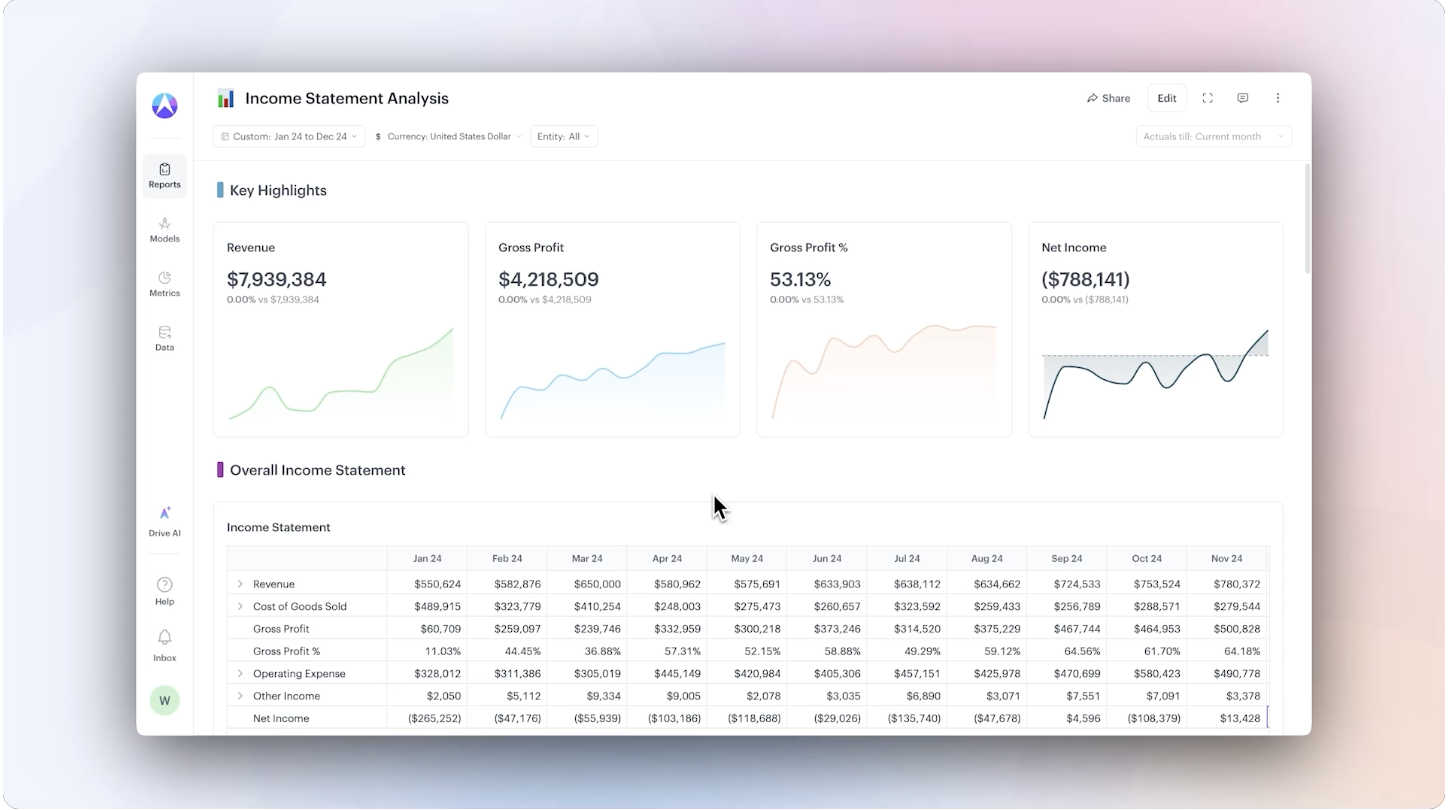
Build a scenario from a simple prompt, like "What happens to costs if fuel prices rise 20%?", and see it flow straight through to your P&L and cash.
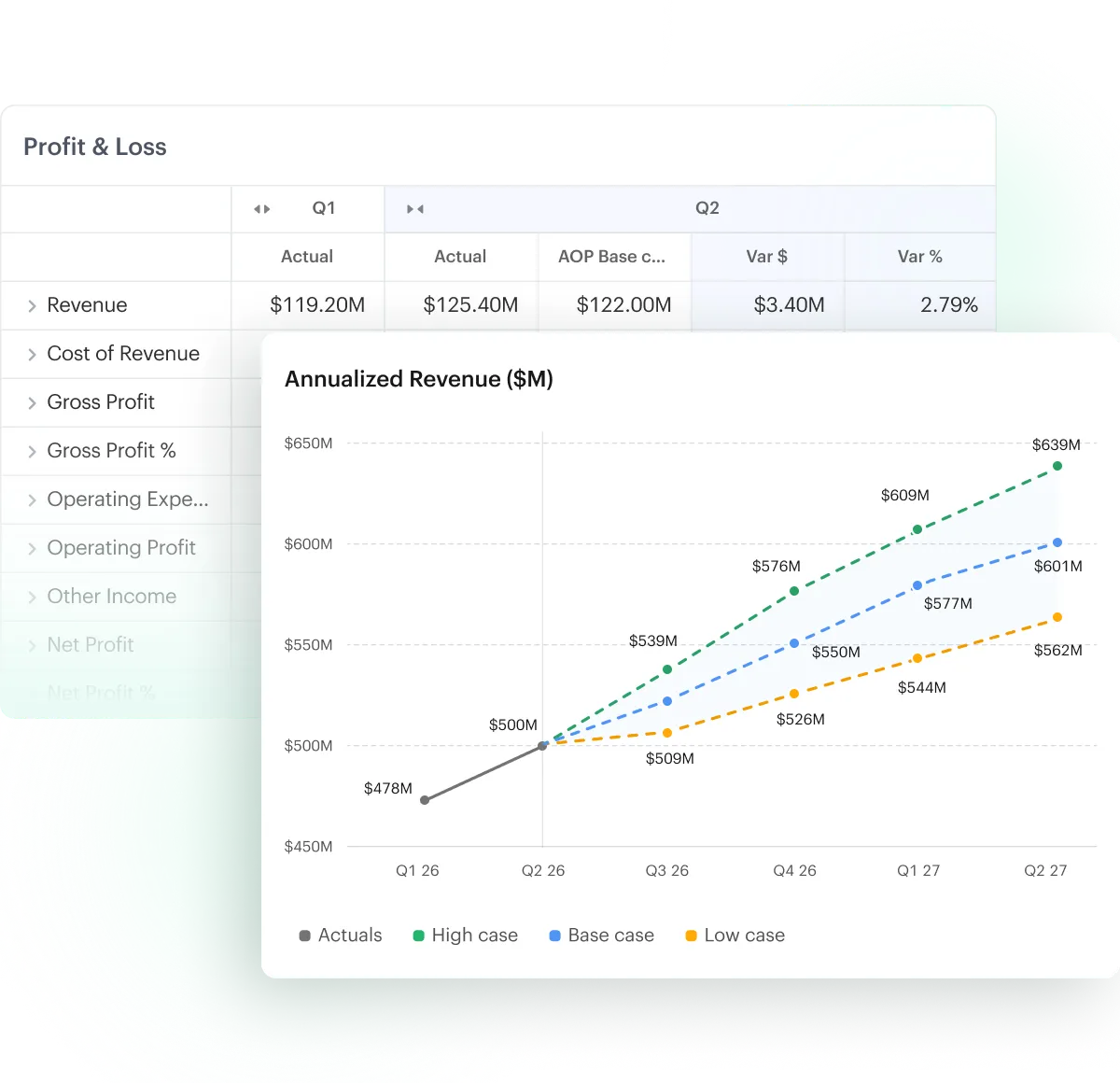
Spin up base, high, and low cases side by side. When the base case changes, every scenario built on it updates too. No copied files, no rebuilding the model from scratch.
.png)
Let AI find the best path
to your target.
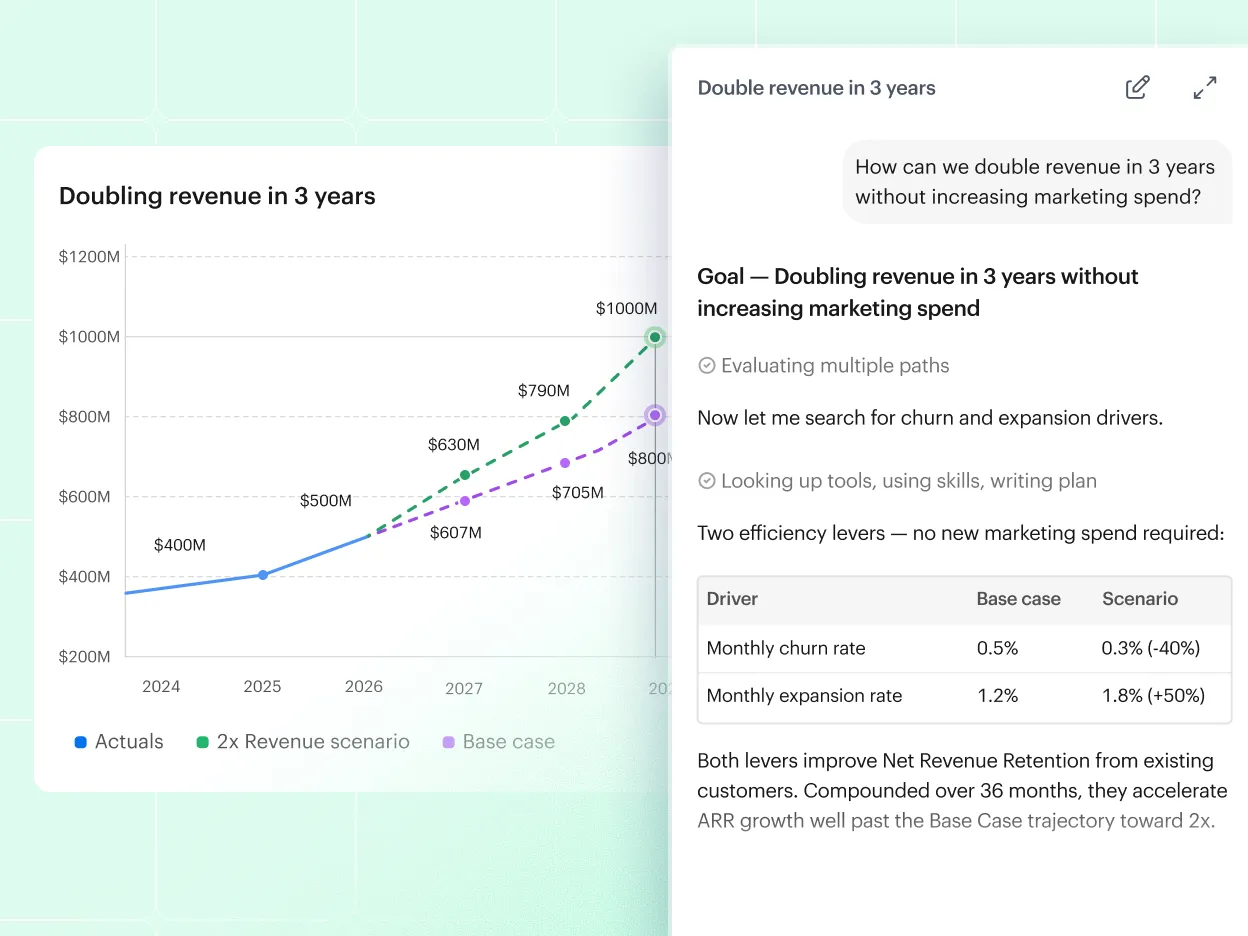
Ask something like "how can we reach $750M in revenue without adding headcount?", and AI finds the inputs that get you there.
Instead of guessing at assumptions and re-running case after case, you start from the goal, and Drive AI shows you the way to reach it.
Let non-finance run their own
what-ifs, without losing control.
A department head can ask a what-if in plain language and see the impact themselves, without waiting on finance to build it.
Keep the base case locked so no one changes your forecast. For getting inputs, use in-product comments or approval workflows.
.png)
.png)
.png)
“The platform has completely transformed how we run FP&A at our company. The biggest thing for me is how much faster I can build scenarios and update our forecasts. What used to take hours in Excel now happens in minutes.”
.png)
.svg)
“It's easy to create multiple scenarios, compare outcomes side by side, and adjust assumptions quickly without breaking models or duplicating work. This is especially valuable for strategic planning, reforecasting, and decision support.”
.png)

“I appreciate the ability to quickly run what-if scenarios across
budget, headcount, cash flow, and revenue. The AI features
(e.g., natural language analysis, model generation, and "plain
English" data transformations) are a significant productivity boost.”
Modern finance teams use Drivetrain to do more
.png)
.png)
.png)
How easily can I build a base case, low case, and high case on Drivetrain?
You can use AI to create scenarios in minutes. Write a prompt in plain English, and AI creates the scenario for you, with your approval. You can easily modify any formula using Excel-like syntax or AI. Watch this 2-minute demo to see how easy it is to create scenarios on Drivetrain.
Is there any limit on how many scenarios we can create?
There is no set limit. Create as many scenarios as your planning calls for, with no hit to the platform’s performance.
Can I compare scenarios side by side?
Yes, put any number of scenarios next to each other in a report or board and compare their outputs at a glance.
If I change one assumption, does it flow through the P&L, balance sheet, and cash flow?
Yes, it's one connected model, so a single change flows through to your P&L, balance sheet, and cash flow automatically.
What's the difference between a scenario and a version?
A scenario tests different assumptions inside the same model, like a base, high, or low case. A version is the whole model saved at a point in time, like your locked FY26 budget. Scenarios are the what-ifs; versions are the snapshots, and you can have as many of both as you need.
Still cloning spreadsheets for every scenario?
Run any what-if in minutes, answer leadership in real time, and let your whole team explore scenarios on their own.